
Know where the money went.
Not accounting software. A ledger sized for a working operation — the one you actually keep up with, because entering a fuel receipt takes fifteen seconds — with a budget to measure it against and a year-end summary at the end of it.
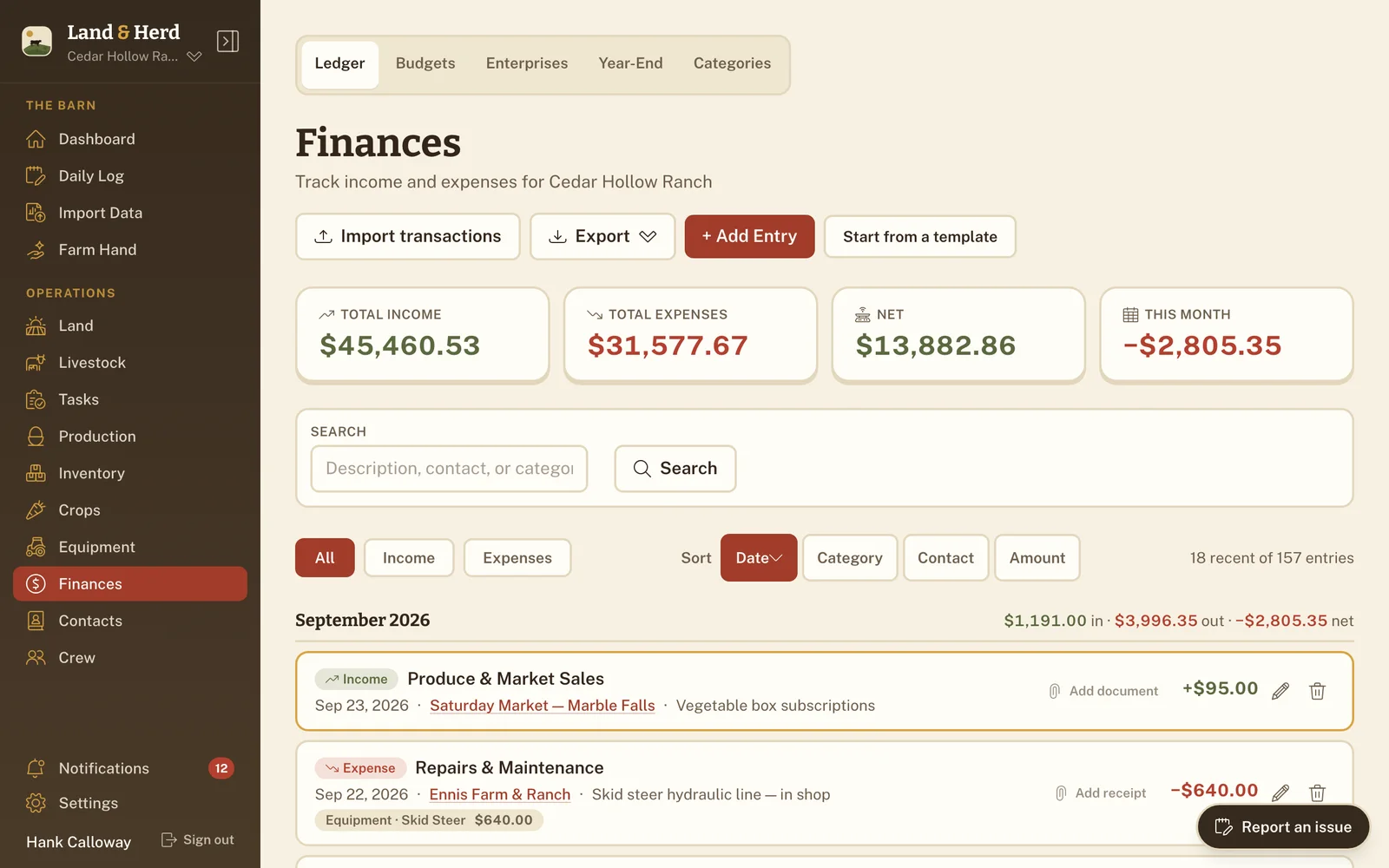
The numbers are up top before you scroll
Open the page and the four figures that matter are already there: total income, total expenses, net, and this month. No report to run, no date range to pick, no "generate" button. If the only thing you wanted was to know whether this month is ahead of last, you got it before the page finished settling.
Categories that match how the money actually moves
Every entry gets a category — livestock, feed, fuel, vet, equipment and more — because "where did it all go" is a question about categories, not line items. At the end of the year, the answer is a sum rather than an afternoon with a shoebox.
A budget you can actually check
Set a figure against an expense category for the year and the page shows what you've spent against it — a bar per category, and a badge when one is running warm or has already gone over. Categories with no budget sit quietly in their own band rather than nagging you about a number you never set.
Which parts of the place pay for themselves
Enterprise Analysis is the answer to "is the beef paying for the chickens, or the other way round". Group animals, herds, crops and production types into an enterprise, then link a ledger entry to one of them — split across several when a load of feed covers more than one — and over any date range you can see what each part of the operation earned, what it cost, and what that came to per unit of what it produced. It's the question a spreadsheet almost never answers, because keeping the columns straight is more work than anyone sustains.
Year-end, grouped the way the form asks for it
Each category carries the tax line it belongs to — feed, veterinary and breeding, gasoline and fuel, custom hire income, agricultural program payments, and the rest, with the default set already filled in and mapped to the Schedule F headings. The Year-End Summary rolls the year up by those lines, flags anything sitting in an unmapped bucket so nothing goes missing, and prints as a PDF you can hand across a desk.
The people on the other end of the money
Contacts keeps vendors, buyers and service providers in one reusable list — the feed store, the vet, the man who takes the cull (removing an animal from the herd) cows — so the name you typed in March is the same name in November. It arrives with Finances and goes with it.
Deliberately not accounting software
There's no double-entry, no chart of accounts, no reconciliation. That's a choice. Most places running on spreadsheets don't need a general ledger — they need somewhere to put the vet bill that they'll still be using in March, and a way to add the year up when it's over. Land & Herd aims to be the thing you keep up with, and to hand your accountant a summary that already agrees with itself.
- Live totals — income, expenses, net and month-to-date, always visible.
- Categories for livestock, feed, fuel, vet, equipment and more, each with a tax line.
- Budgets per category, measured against what you've actually spent.
- Enterprise analysis — what each part of the place earned and cost.
- Year-end summary by tax line, as a printable PDF.
- Contacts for vendors, buyers and service providers.
- Receipts attached to the entry they belong to, so the paper and the number live together.
- Fast entry, because a ledger you skip for a week is a ledger you abandon.
- Optional. Don't want it? Switch it off in Settings and it leaves the sidebar.
It sits next to what earned and spent the money
The reason this belongs in the same app as the herd is that the herd is where the money comes from and goes to. Feed costs live next to the animals eating it, the vet bill next to the treatment it paid for, and what you produced next to what you sold. That's context a standalone finance app can't give you.
What this connects to
Production
What the place produced and what it was worth, priced per unit as you logged it.
Production & inventory →Equipment
Purchase price, hours and a maintenance log for the machinery the fuel goes into.
Crops & equipment → Ranch planBring your books
Import the workbook you already keep and map its columns onto the ledger.
How import works →Start keeping the ledger you'll actually keep
Set up your ranch in a couple of minutes. Enter one fuel receipt and see whether the ledger sticks. That's the only test that matters for a ledger.