
Cattle records that keep up with calving season.
A cow-calf operation runs on three things being right: who's bred, who's been treated, and where the grass is. Land & Herd keeps all three current without a spreadsheet per subject.
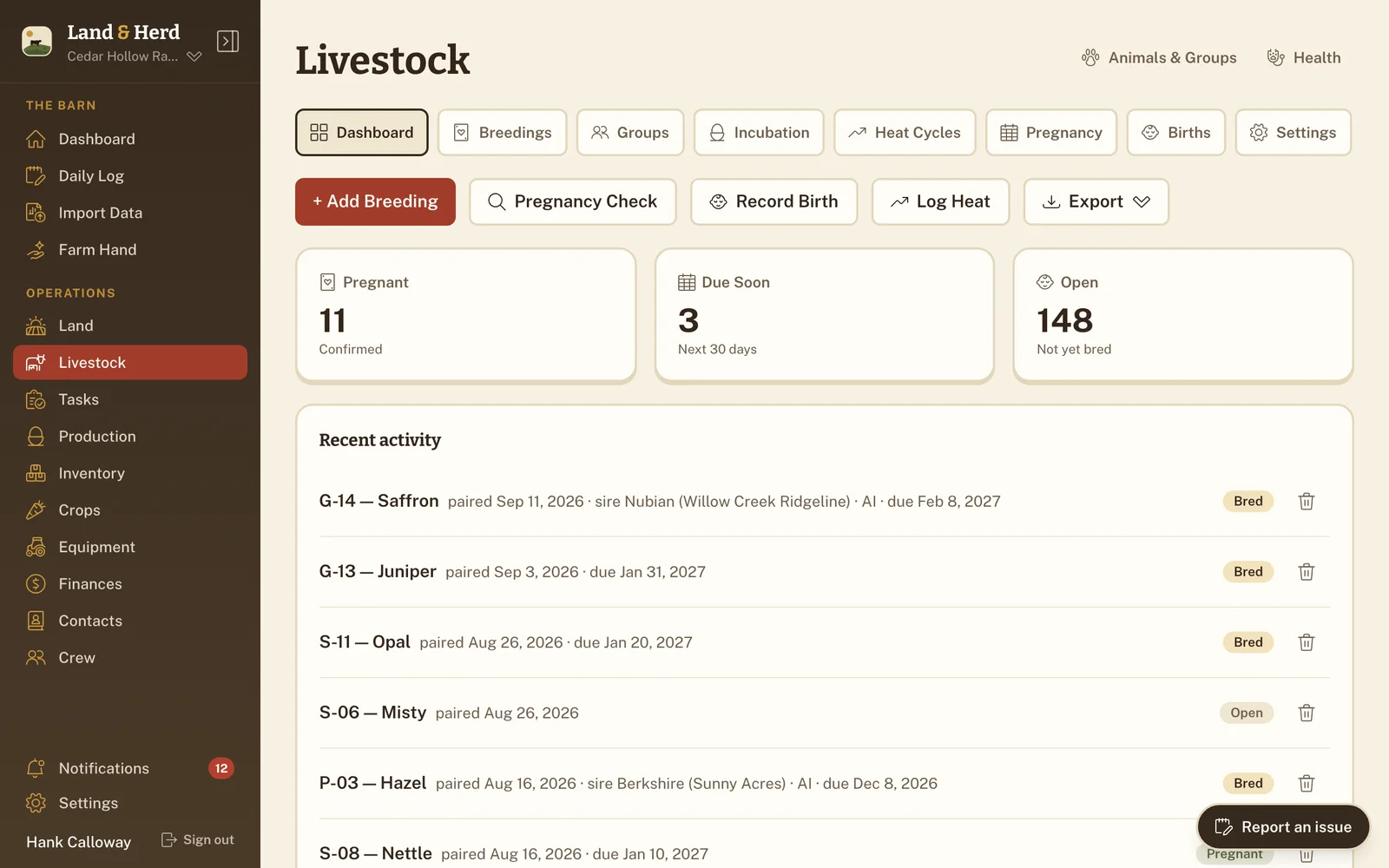
Calving dates you don't have to count out
Record a breeding — bull-bred or A.I. — and the due date comes from cattle gestation (how long a pregnancy runs), 283 days by default and adjustable if your own numbers differ. Every cow sits in Pregnant, Due Soon or Open (not bred yet), so working out who's calving this month is a glance instead of an evening with a calendar and a calculator.
When the calf hits the ground you log the birth on the same record. It becomes its own animal, linked to the breeding it came from and to its dam and sire (mother and father) — so the replacement heifer (a young cow that hasn't calved yet) you keep in three years still knows where she came from.
Withdrawal tracking, because that deadline costs money
Log a treatment with its withdrawal (the days after a treatment before milk or meat can be sold) period and the animal is flagged from that moment. A quick filter pulls up everything currently under withdrawal, and the dashboard's Attention Needed feed won't let it go quiet.
This is the number most likely to be living in someone's head, on a calendar in the barn, or on the back of a bottle that got thrown away. Here it lives on the animal, and it's still there when a different person is loading the trailer.
Rotation on rest days, not on memory
Give every paddock (a fenced grazing section) a rest period — 30, 45, 60 or 90 days — log a "graze today" when the herd goes in, and watch the countdown. When a pasture comes ready it shows up on the dashboard. Moving the main cow herd from one paddock to the next is one action that updates every animal's location at once.
The rest of the operation, in the same place
- Hay and feed tracked with low-stock alerts, so you know before the barn is empty.
- Income and expenses categorized — cattle, feed, fuel, vet, equipment — with net and month-to-date up top.
- Equipment with hours and a maintenance log for the tractor and the baler.
- Your crew as owner, manager or worker, added by an emailed invite.
- Weights and metrics over time, so culling (removing an animal from the herd) decisions come from records rather than impressions.
Bring the herd sheet you already keep Ranch plan
Most cattle operations already have a workbook — tags in one column, birth dates in another, a dam column that's been maintained by hand for years. Upload it and Farm Hand, the assistant, maps the columns onto animals — including turning dam and sire into real links rather than text. You approve the plan before a single row is written.
Haven't got a workbook, or would rather not wrangle your own columns? Download the animals template instead — it already has them, with your pastures and groups as dropdowns — fill it in and upload it back. That path is on every plan and doesn't need Farm Hand. How import works →
Import comes with the Ranch plan, and with its fourteen-day trial — which is the way to try it. Bring the herd sheet on day one, and if it lands the way you want it, you've moved the operation before you've paid anything.
The parts a cattle operation leans on
Go into next calving season with the records straight
Set up your ranch in a couple of minutes and bring the herd sheet with you. Put the cow herd in and let the calving dates and withdrawal clocks run themselves.